Skip to content

Usage

Info

  • Use the instructions as must-read, If you don't read it, please don't waste each other's time
  • This document aims to reduce user questions.

1. Info

1.1. Player Description

  • If there's picture but no sound, there's no sound track
  • If there is a black screen with sound - usually the player does not support H265[HEVC]
  • Player selection should take into account format compatibility, such as the difference between h264 and h265
  • If playback fails, we suggest to switch player or call system player
    • Windows: potplayer vlc mpv
    • Mac: iina vlc mpv
    • Linux: vlc mpv

1.2. First use

Please read the User Agreement for the first time; if you start to use the software, you agree to the Agreement; if you do not agree to the Agreement, please stop using the software immediately.

Click to view disclaimer

1.3. Issue

QuestionSolution
How to Configure Data SourceThe software does not provide any data source, all data sources need to be the user's own responsibility to confirm the validity of the data (do not blame the software for everything).
White screen
No interface but processes
Tip sonic boom is not ready yet
1. Port Occupancy (9978)
2. New and old versions cannot run simultaneously3. Dirty data (the data is not as required by the field)
4. database version upgrade
No change in data after data import1. Manually click to try to refresh
2. Try to restart the software
3. Make sure the link is correct (whether duplicate paste, missing characters)
4. Make sure the data is okay and try to import again.
T3[py] adapter data source has no content to1. Lab-Extension Manager-Environment install uv
2. initialize dependencies
3. child process killed by other software
Some videos cannot be played1. De-wide logic conflict, Turn off the de-wide function
2. The player cannot be decoded. Try to switch the player or call the system player.
3. Preload conflict (such as dynamic link timeliness), turn off the preload function
4. When the video format is mkv, the compatibility is poor. Try to call the system player
5. Cloud disk compatibility is poor
6. The ability of magnetic analysis resources is poor
Data import failed1. Make sure that the link is correct url
2. Make sure that the duration of the network normal request data does not exceed the timeout time
3. The data should be according to the database field type, field length, field name
Prompt for data source formatting episode error1. Data source failure, change of source
2. Subthread conflicts, restart software
Search1. It is recommended to combine several frequently used sources into a search, global search is not recommended
2. Data return is not related to keywords, indicating that the source is returning randomly, close the source search or enable the search filtering
3. Data is dead looped, a certain source keeps on returning a few same data or keeps on returning data, close the source search
4. It is not recommended to click on the source operation before searching is completed
5. Clicking before the search is complete is not recommended
5. Do not scroll up or down during the search, it will cause the data to explode.

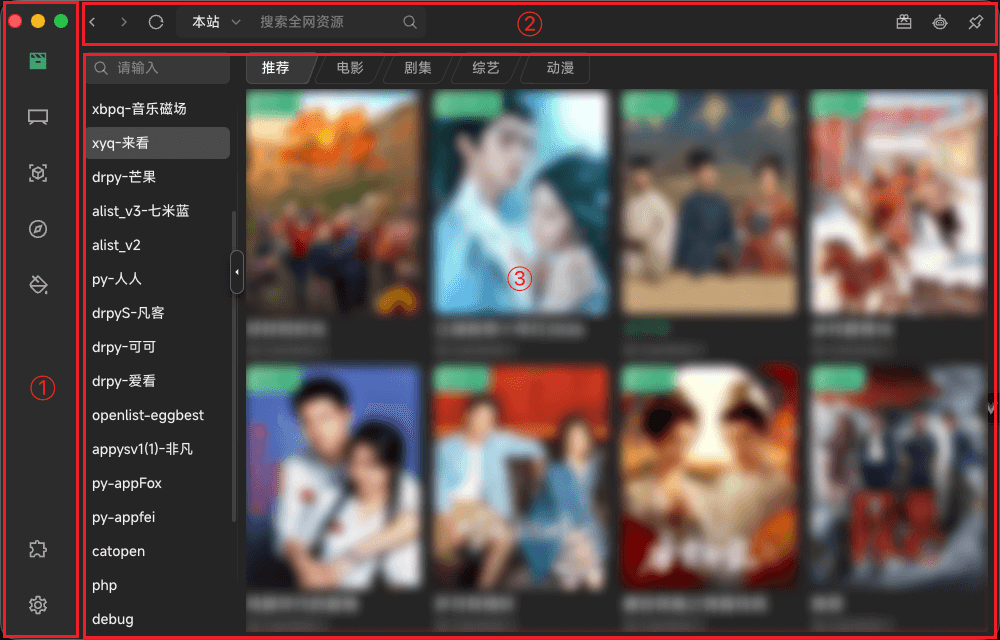
2. Main

main-layout

  • ①: Side menu - Film | Live | Parse | Moment | Lab | Setting
  • ②: Top bar
    • Navigator: Back | Forward | Refresh
    • Search: Only Film | Live | Parse
    • Play show: Only open Play Program exists
    • Function: Sponsor | AIGC | Pin
    • Systerm Control: Minimize | Zoom | Close (Only Windows | Linux exists)
  • ③: Main content

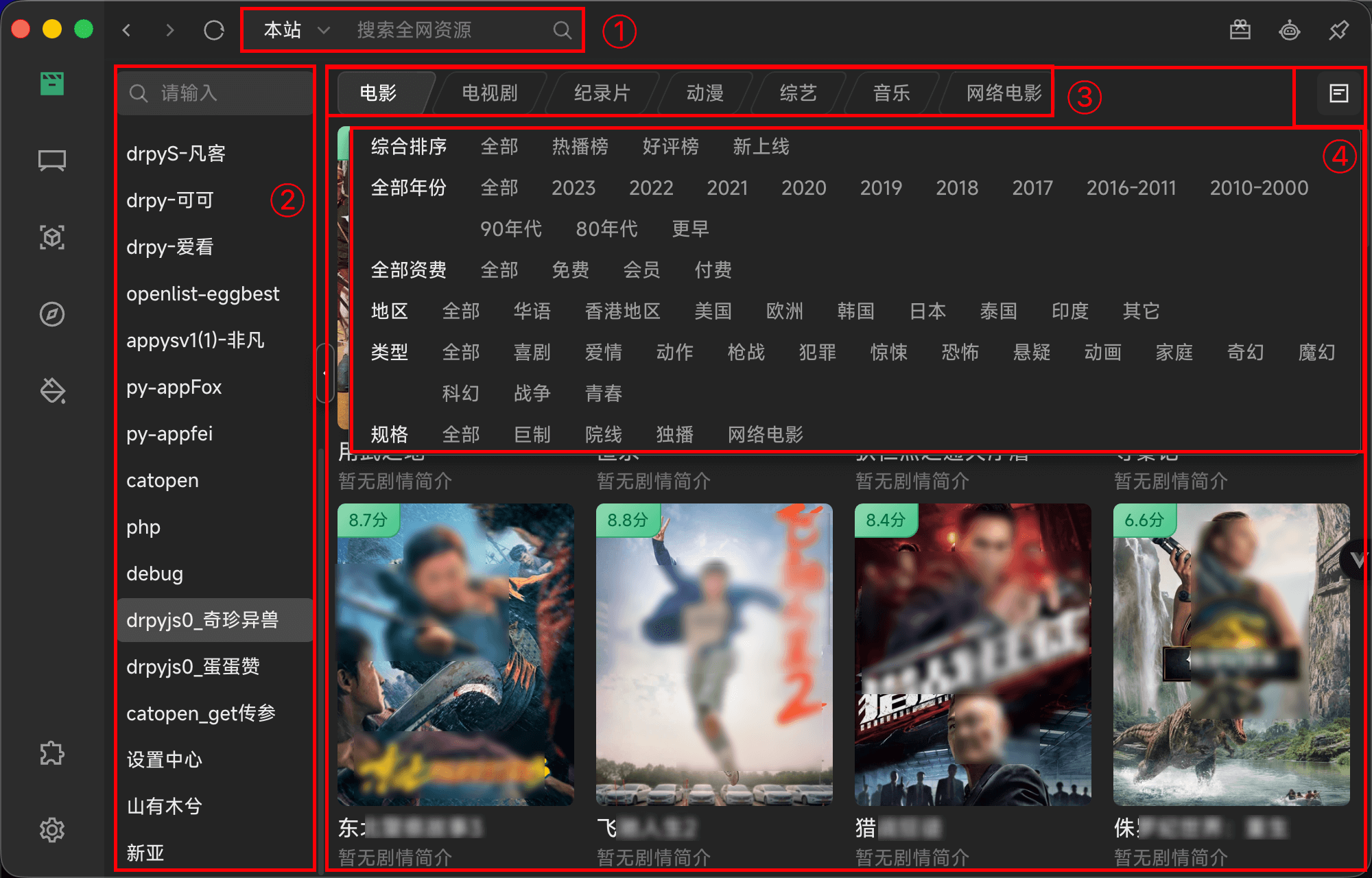
2.2. Film

main-film

  • ①: Search - Enter keywords to search for data
    • Group | Site | All
    • It is not recommended to search globally or search within the group (when there are more group data sources)
  • ②: Data source - Click to switch data source
  • ③: Class - Click to switch class
  • ④: Sift - Select subdivision field data
  • ⑤: Main Content
QuestionSolution
Please go to [Setting->Film Config] to configure the dataGo to the specified path you need to add a data source.
Load CompleteThe data is loaded.
Load Error1. Incorrect data type.
2. Try to refresh or restart the software.
Picture not displayed1. The data source does not have a vod_pic field
2. Proxy may be needed for the images

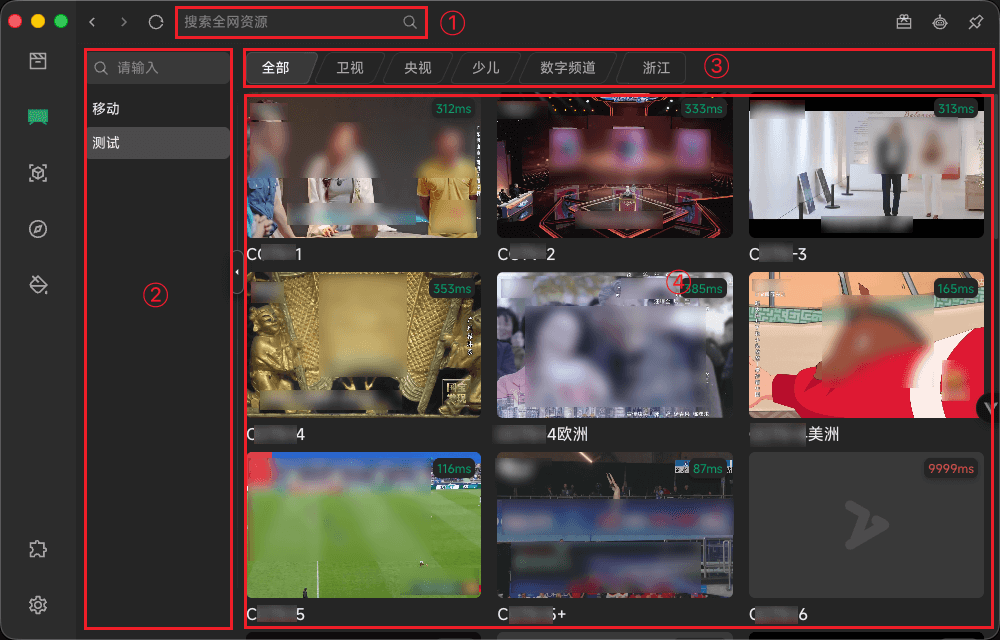
2.3. Live

main-live

  • ①: Search - Enter keywords to search for data
  • ②: Data source - Click to switch data source
  • ③: Class - Click to switch class
  • ④: Main Content
    • IP Mark Delay needs to be turned on in setting [for reference only].
    • Station icon priority [Programs -> Db Config -> Global -> Default]
    • Enable Thumbnail in setting, then use preview image instead of station [ffmpeg env required]
QuestionSolution
Please go to [Setting->Live Config] to configure the dataGo to the specified path you need to add a data source.
Load CompleteThe data is loaded.
Load ErrorTry to refresh or restart the software.
Please select a data sourceA data source must be selected.
Data source unchecked, data still availableThen I clicked on the data source but it failed to load.
Search without dataA data source must be selected.

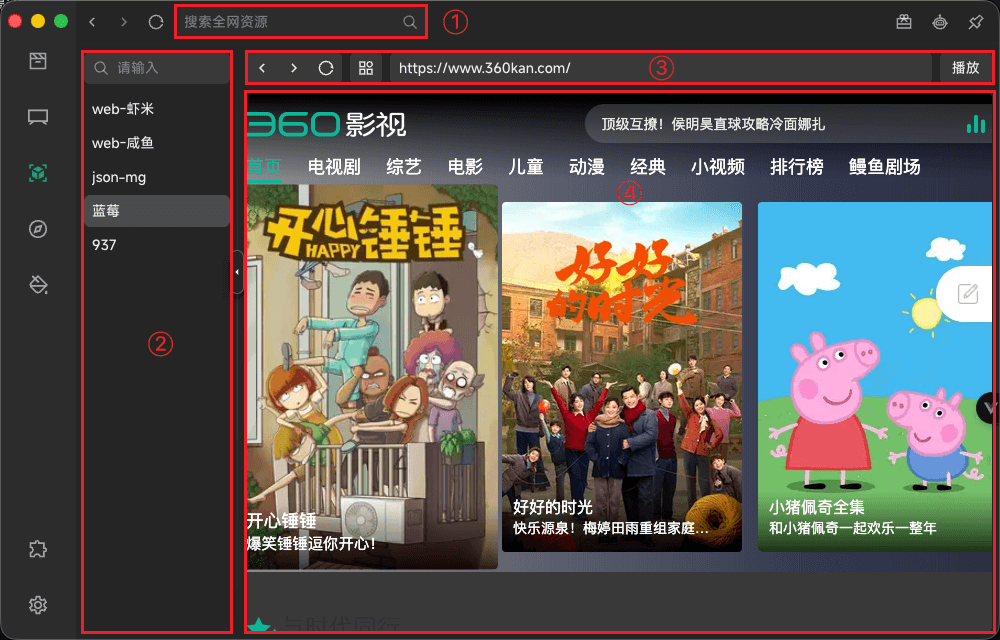
2.5. Parse

main-parse

  • ①: Search - Enter keywords to search for data.
  • ②: Data source - Click to switch data source
  • ③: Top Operation Bar
    • History Navigation: Forward | Backward | Refresh
    • Platform: Load platform address
    • Address: Current address (manually loaded by typing enter)
    • Play: Parse address data
  • ④: Main Content - Display address bar page data
QuestionSolution
Invalid address bar addressEnter a correct address.
Invalid parsing interfaceTry switching data source.
No parsing source selectedA data source must be selected.
Load failed, try switching to another interfaceTry switching data source.

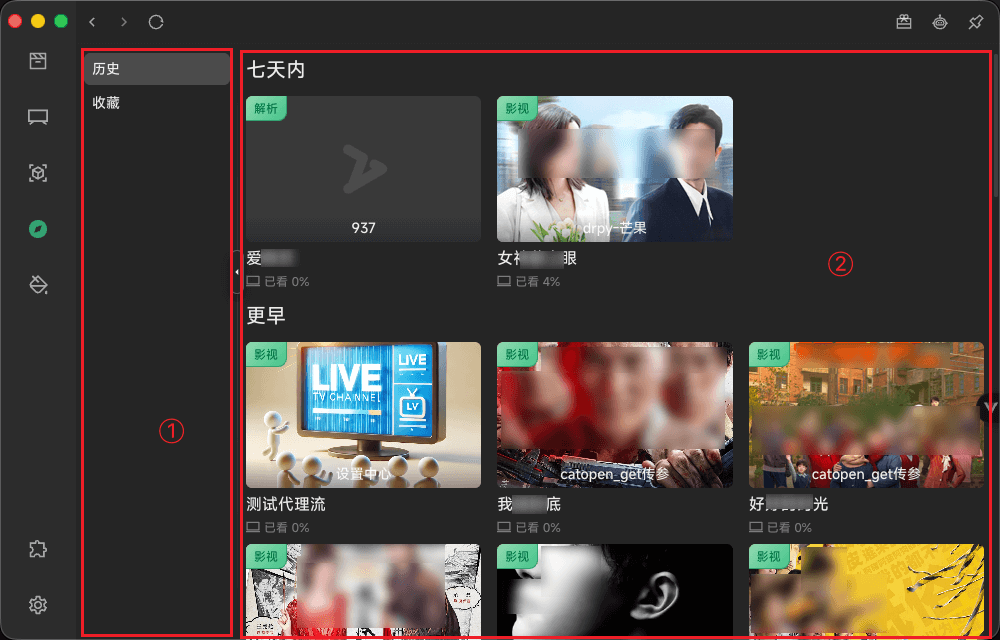
2.6. Moment

main-moment

  • ①: Data source - Click to switch data source
  • ②: Main Content
    • History sorted by [today > within 7 days -> further back]
    • Mouse over - support for deleting individual records
QuestionSolution
Load CompleteThe data is loaded.
The source should have been deletedGenerally, data is imported multiple times, with different source identifiers.
1.Video playback for video progress unchanged
2.Data not added
The data will not be refreshed in real time, you need to refresh manually.
Time page access error, movie page access normalThe vod_id returned by the first level and the second level is inconsistent.

2.7. Setting

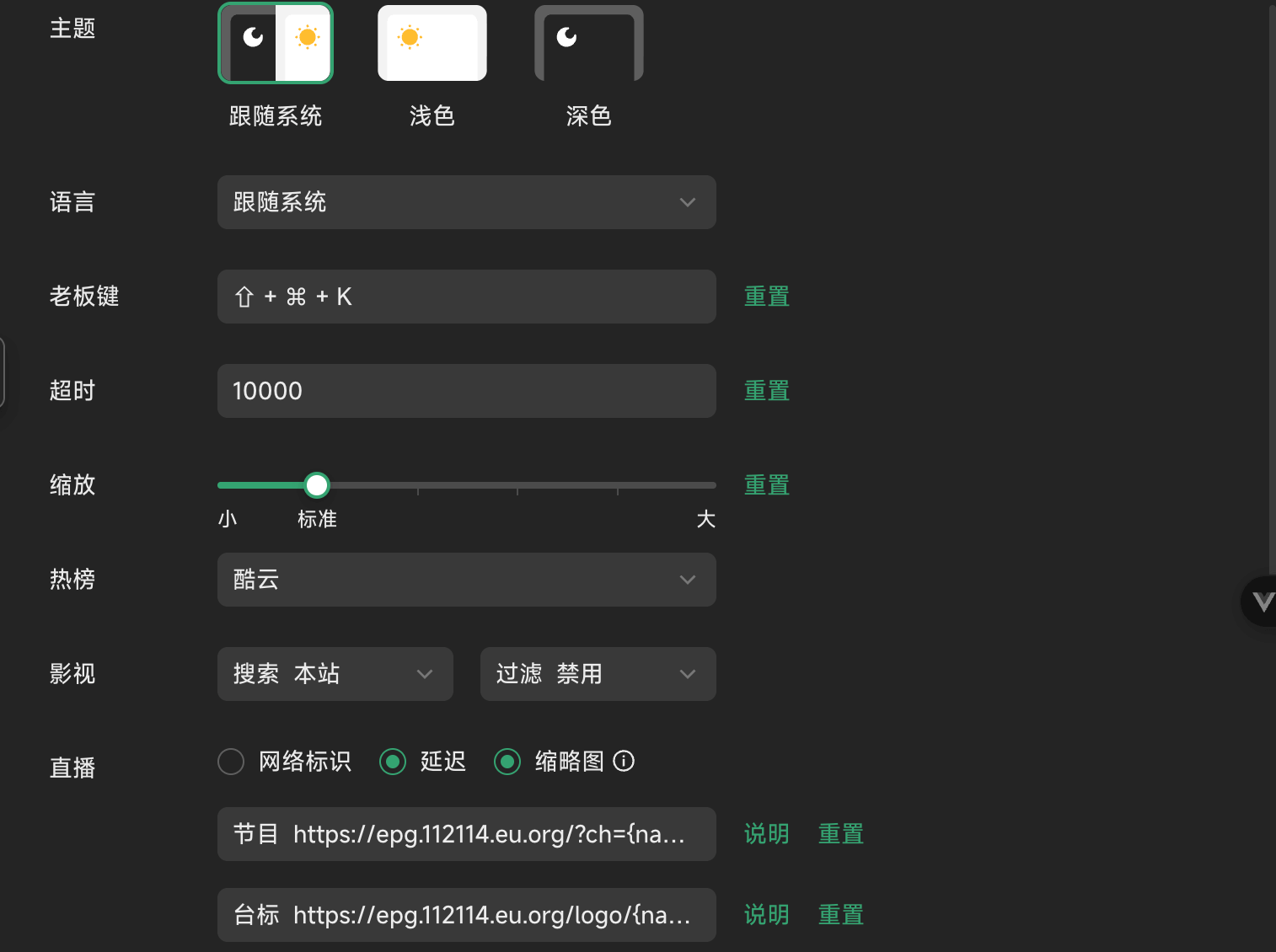
2.7.1. Base Config

main-setting-base_config

  • Theme: Light | Dark | Auto
  • Language: zh-CN | zh-TW | English | Auto
  • BossKey: One click hiding software
  • Timeout: Global network request timeout, in milliseconds
  • Zoom: Scaling software size
  • Hot: Search bar displays hot search data
  • Film
    • Search: Default search group - Local | Group | All
    • Filter: Search data for secondary filtering (Some site return data indiscriminately)
  • Live
    • IP Mark: Display ip mark (reference only)
    • Delay: Display of delayed markings (reference only)
    • Thumbnail: Display thumbnail image (ffmpeg required)
    • Epg: Support diyp and xml
    • Logo: Priority([Channel's own logo field] > [Setting-Live Config-Single Source-Logo field] > Setting-BasicConfig-Live- Logo field)
  • AIGC:
    • Provider: OpenAI
    • Api: Api address
    • Key: Password
    • Model: Model
  • Player
    • 内置: xgplayer | artplayer
    • Customized player will call the system installed software (need to fill in the installation path)
    • Sniffer
      • Automation: Calling the software itself
      • Third-party: call third-party interface (need to fill in the interface address)
    • Barrage
      • Api: Address of the requested data
      • Id: Returns the data that uniquely represents the
      • Data: Returns the popup field in the data
      • Map Parameter: Returns the subscript of the data in the field-Scroll | Barrage | Time | Color
  • Security
    • Proxy: Global network proxy
    • User Agent: Global request header
    • DNS: Request secure doh
  • Permission
    • Auto Launch: Whether or not the software starts together when the pc is booted
    • Hardware Acceleration: Gpu acceleration
    • Debug Mode: Turn on some development logs or data
  • Other
    • Factory Reset: Restore default config
    • Check Update: Check if the latest version of the software exists (only window supports online update)
    • Privacy Policy: View User Agreement

2.7.2. Data Manage

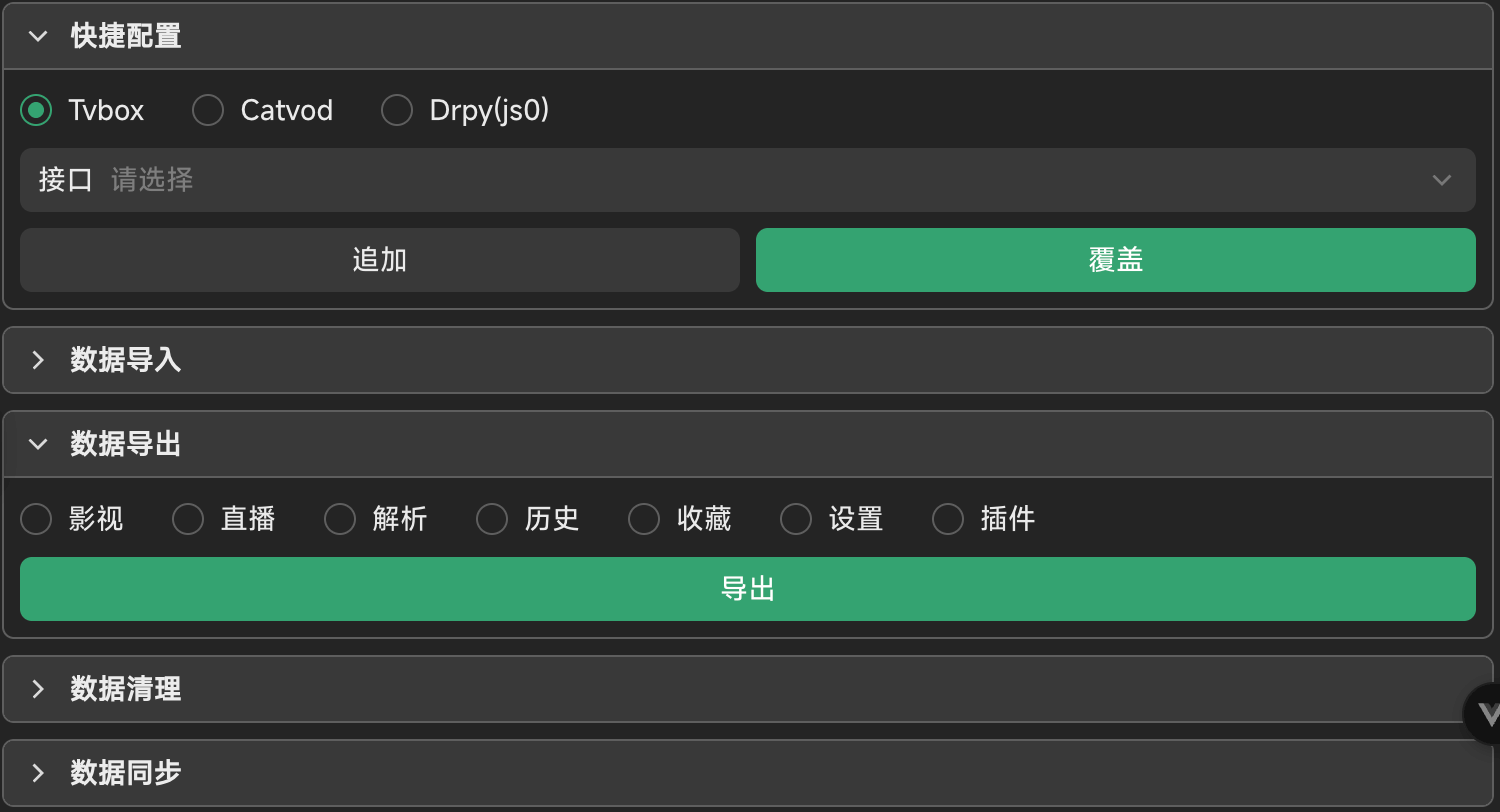
main-setting-data_manage

  • Quick Config: Specify the data to be imported into the database
  • Data Import: Import data into the database
  • Data Export: Export the specified data in the database
  • Data clear: Delete the specified data in the database
  • Data Sync:
    • iCloud | webdav
    • Auto Sync: Automatic synchronization when data changes

2.7.3. Source Config

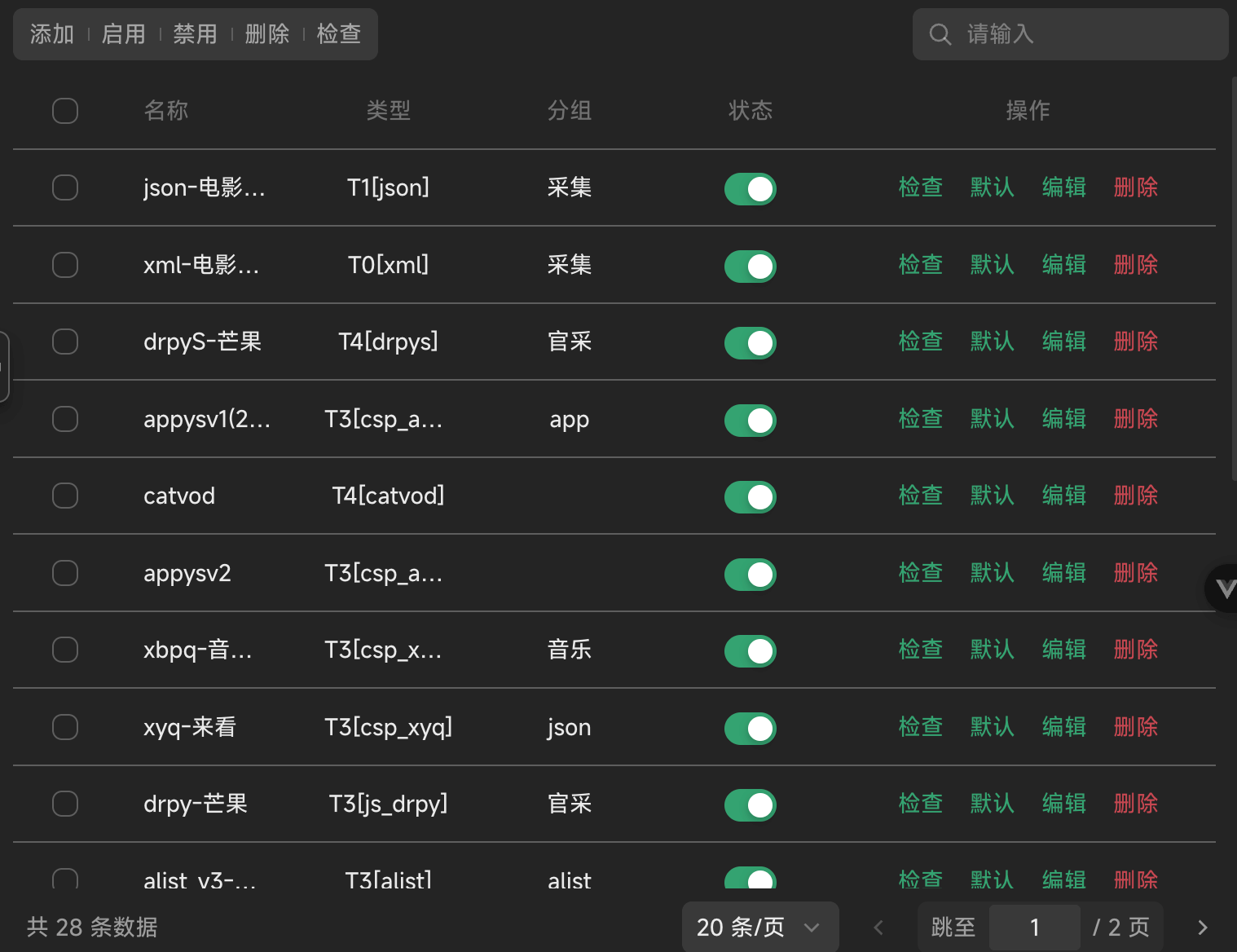
main-setting-source

Film Config Live Config Parse Config

  • Add: Fill in data as required
  • Enable: Quickly enable a data source (multiple or single selection).
  • Disable: Disable to disable the data source (multiple or single selection)
  • Delete: Delete a data source (multiple or single)
  • Search: Enter keywords to quickly retrieve the data you need.
  • Default: Set the selected data source as the default loader.
  • Check: Data finiteness detection
    • Judgment rule: Judge the classification first and then judge the first classified data (for reference only).
    • If there is data after checking, then it will be changed to enable, otherwise it will be changed to disable.

2.8. Lab

2.8.1. Char Encoding

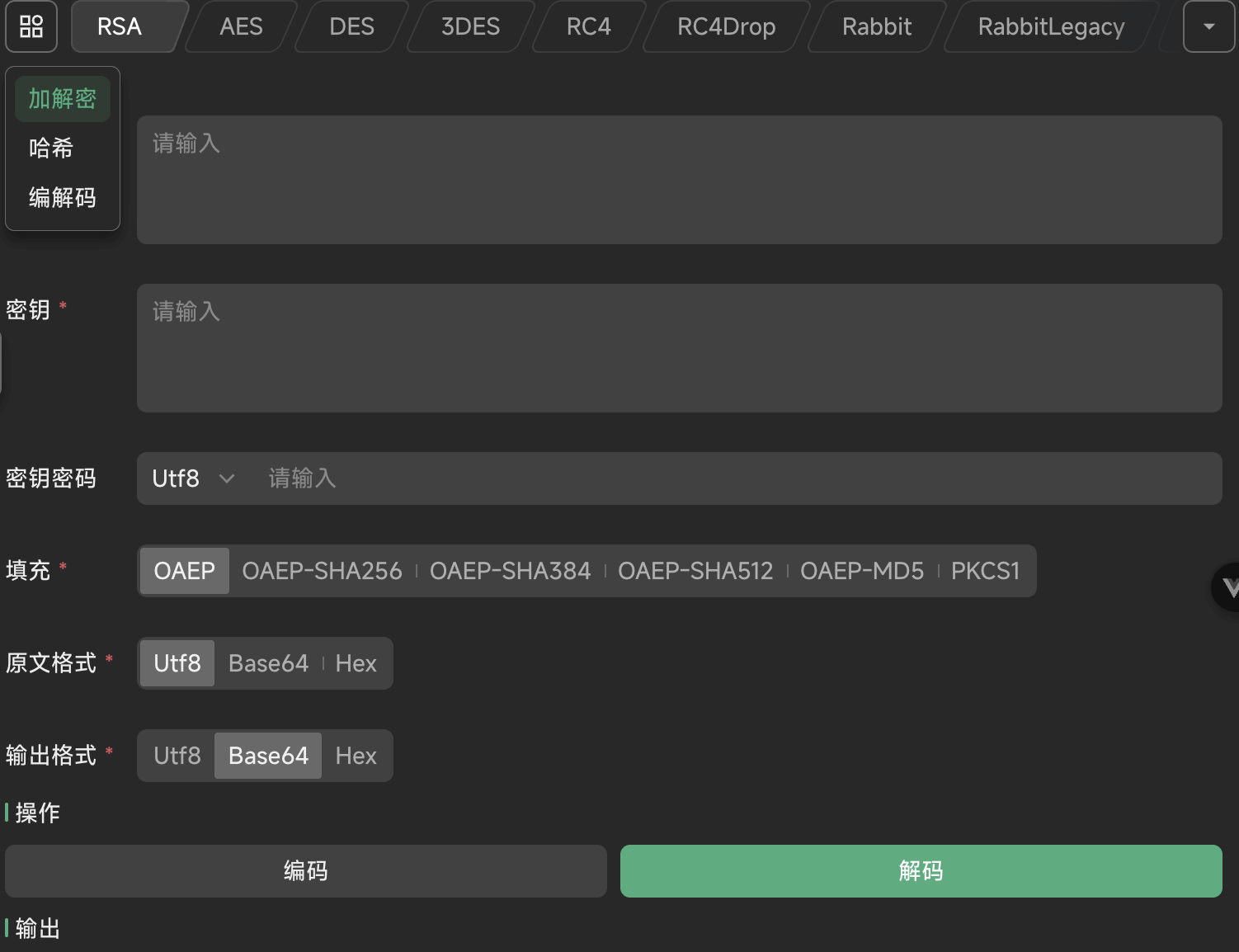
main-lab-char_encoding

  • Encrypt: RSA RC4 AES DES 3DES Rabbit RabbitLegacy SM4
  • Hash: Hash Hmac
  • Encode: html unicode base64 url hex gzip

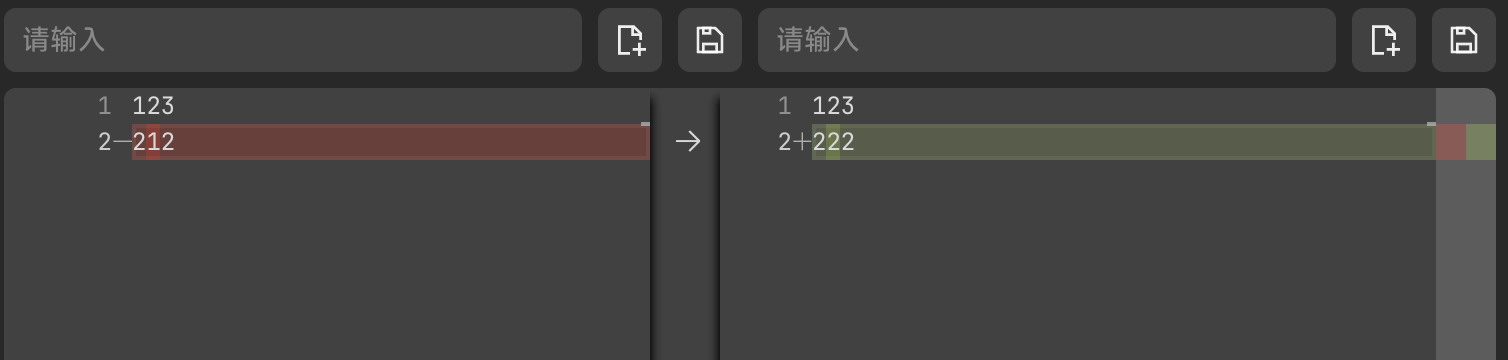
2.8.2. Text Diff

Compare text data differences

2.8.3. IDE

Used to debug the data source, Click to see detail
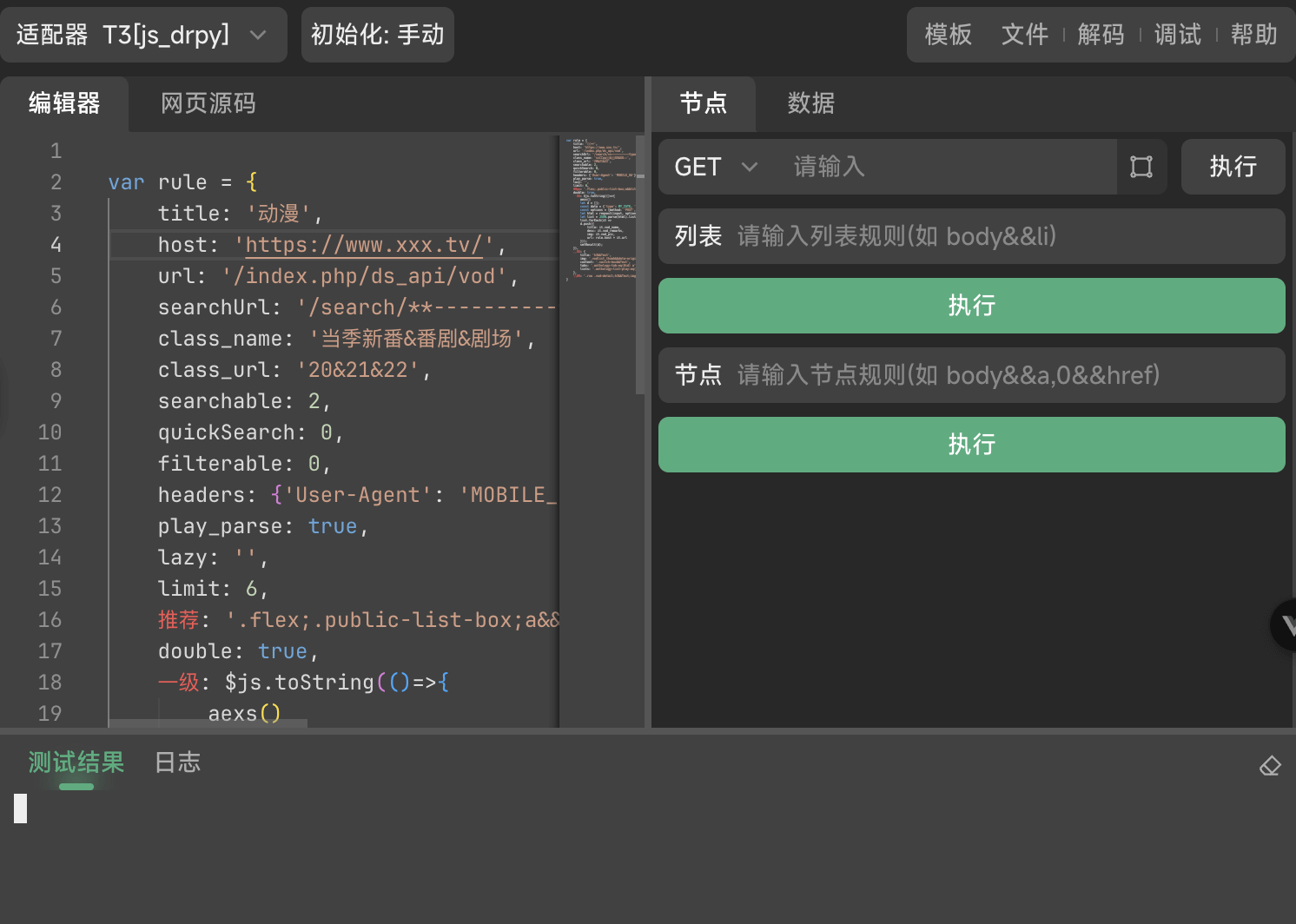
main-lab-ide

2.8.4. Sift

Used to generate sift, Click to see detail
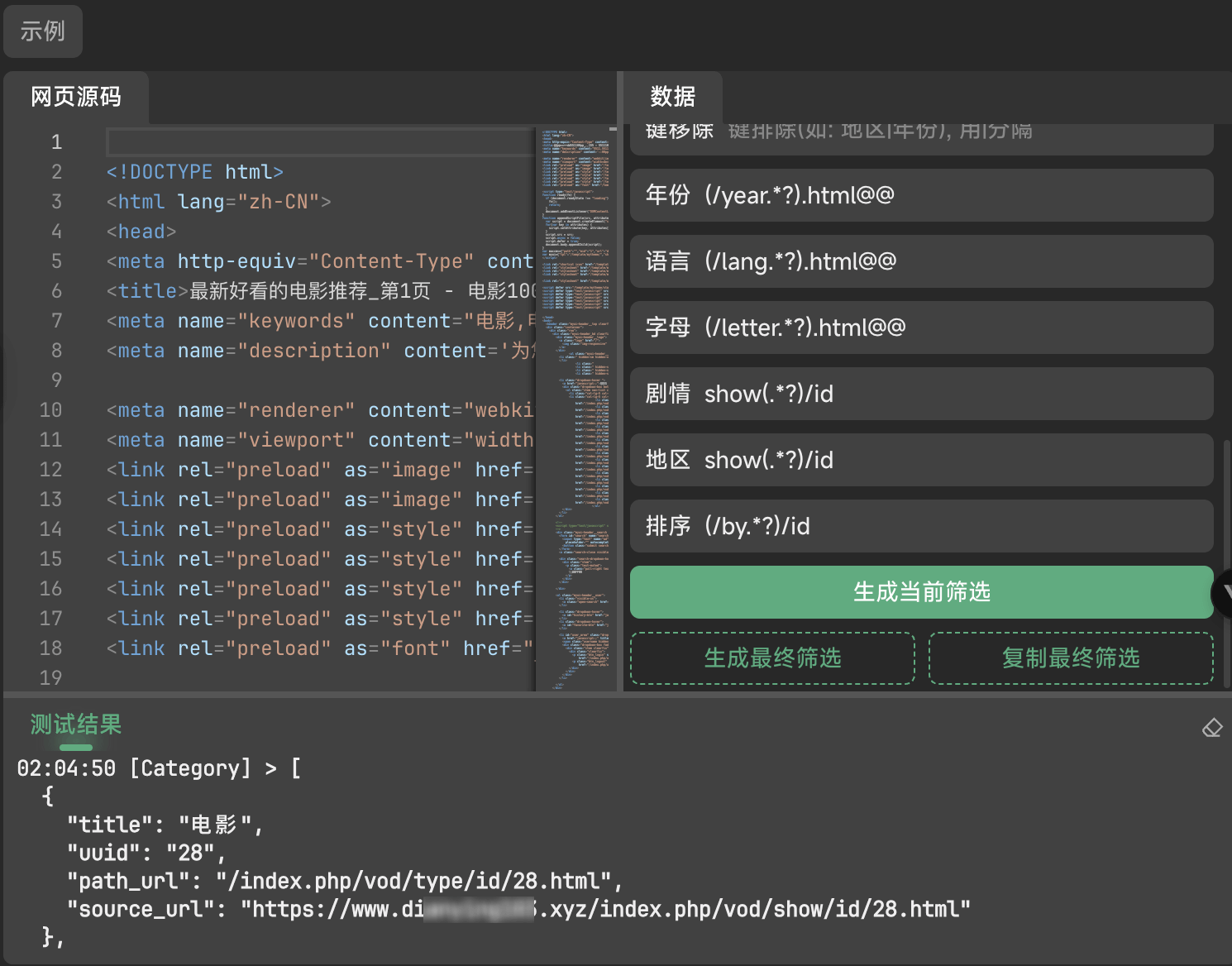
main-lab-sift

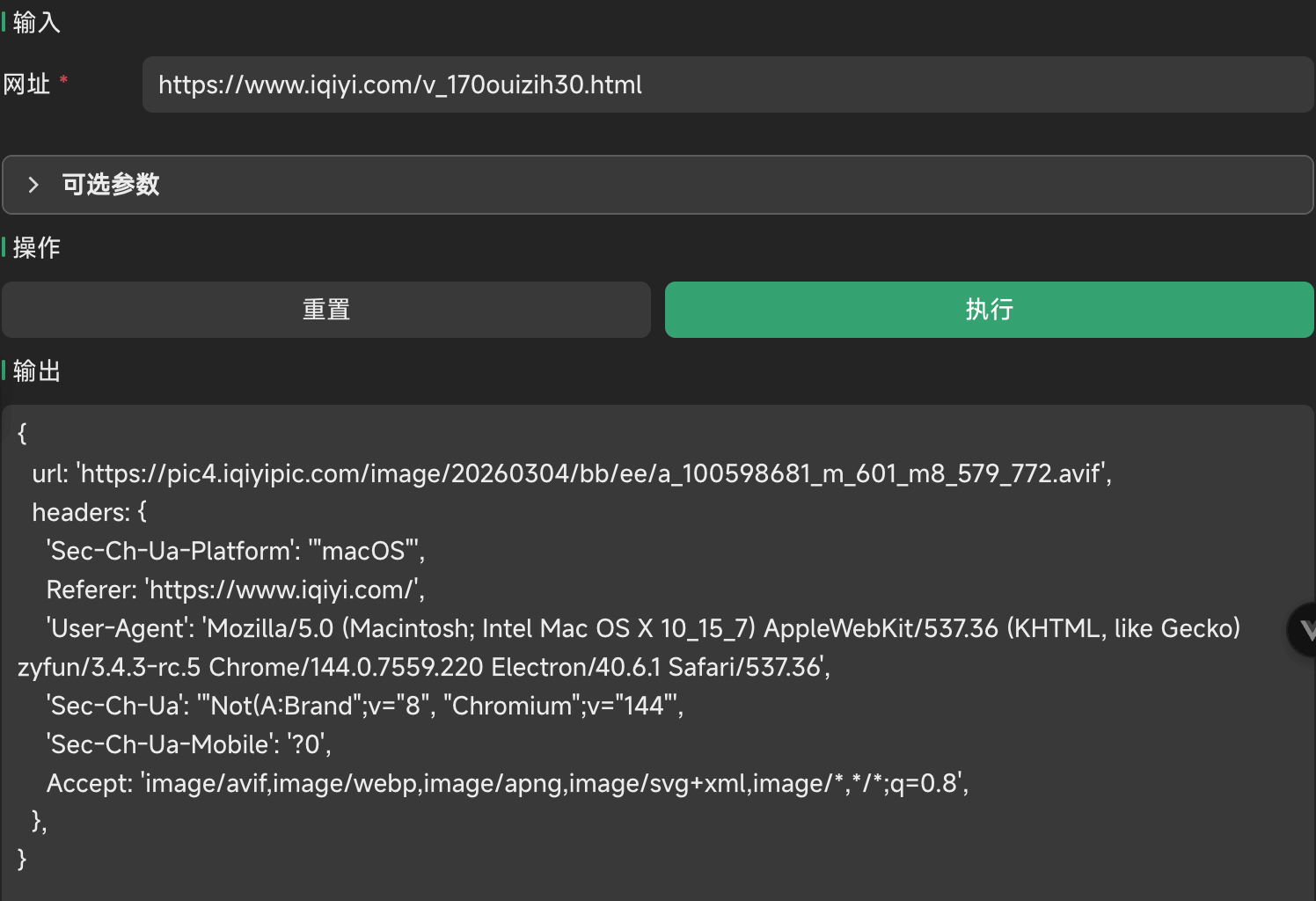
2.8.5. Media Sniffer

main-lab-media_sniffer

  • Url: Sniffer link
  • Optional Params:
    • Init Script: Run the script before execution
    • Run Script: Run the script in execution
    • Custom Regex: Regular Match Media Connection Rules
    • Sniffer Exclude: Regular Exclusion Media Connection Rules

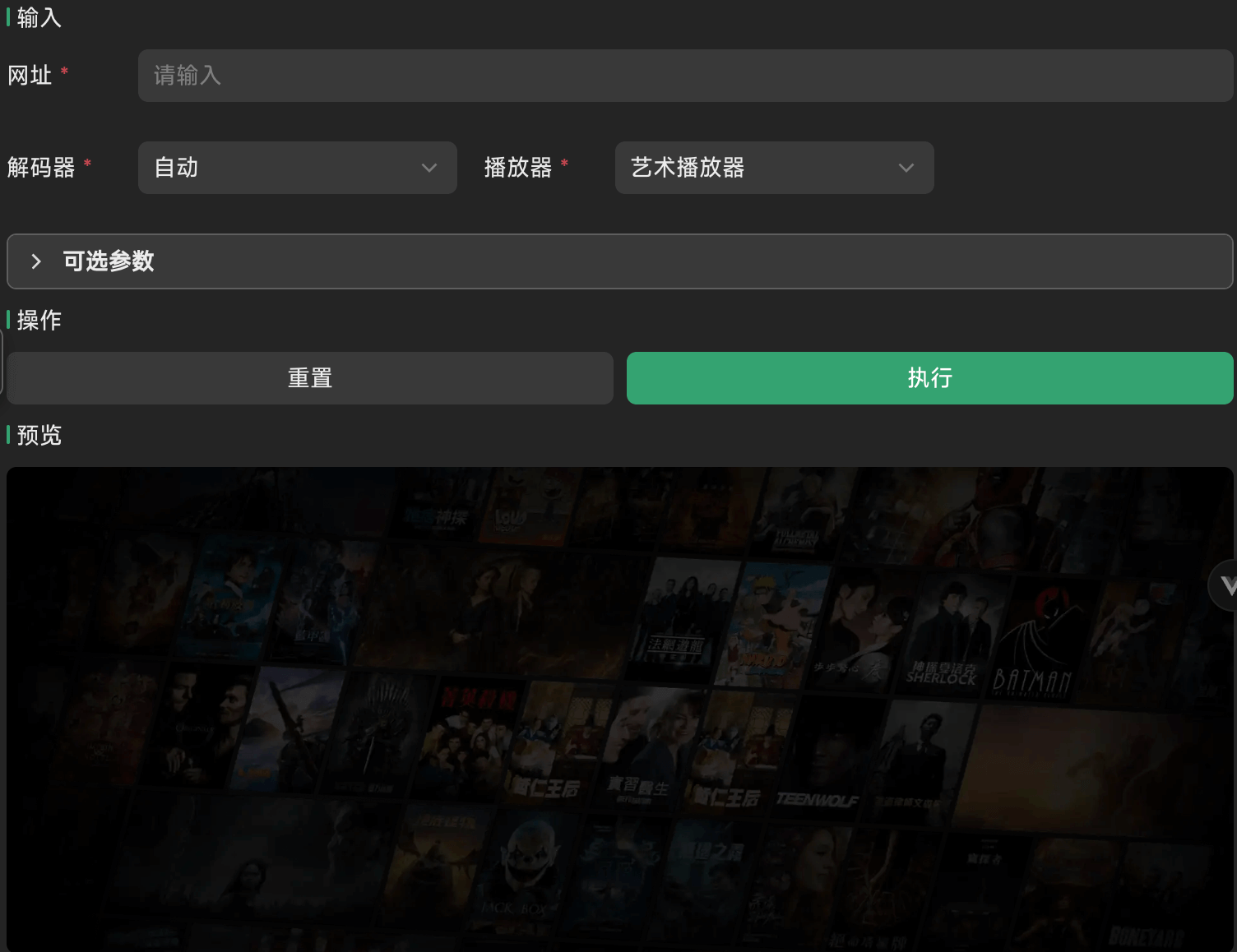
2.8.6. Play Test

main-lab-play_test

  • Url: Play link
  • Decoder: Auto | Audio | Hls | Flv | Mp4 | Dash | Torrent
  • Player: xgplayer | artplayer
  • Optional Params:
    • Headers

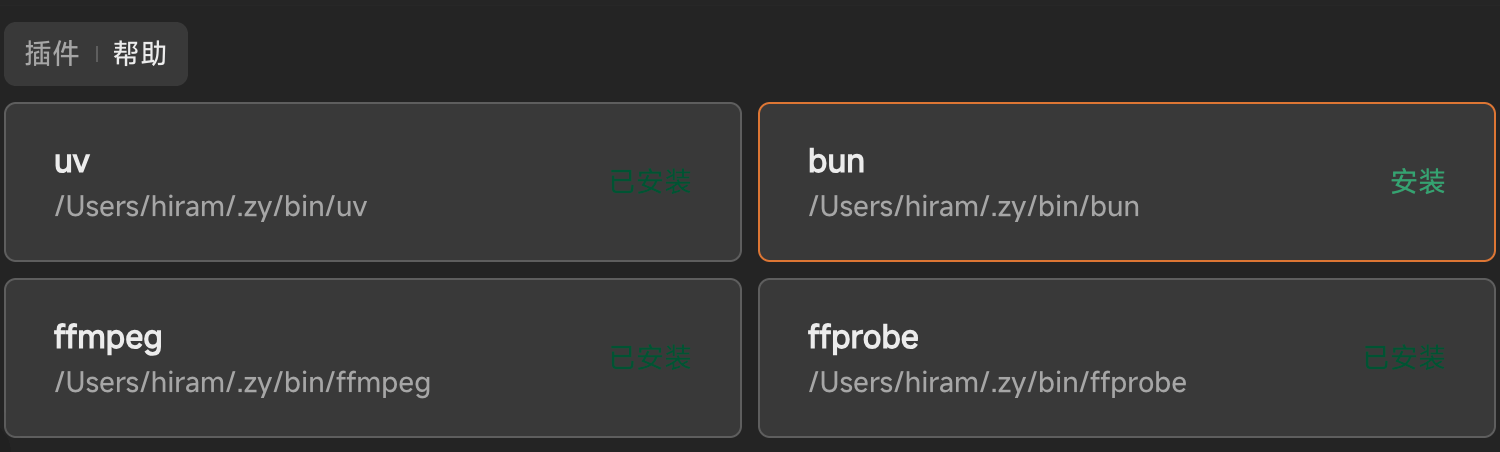
2.8.7. Extension Manager

Deficiencies in software used to extend, Click to see detail
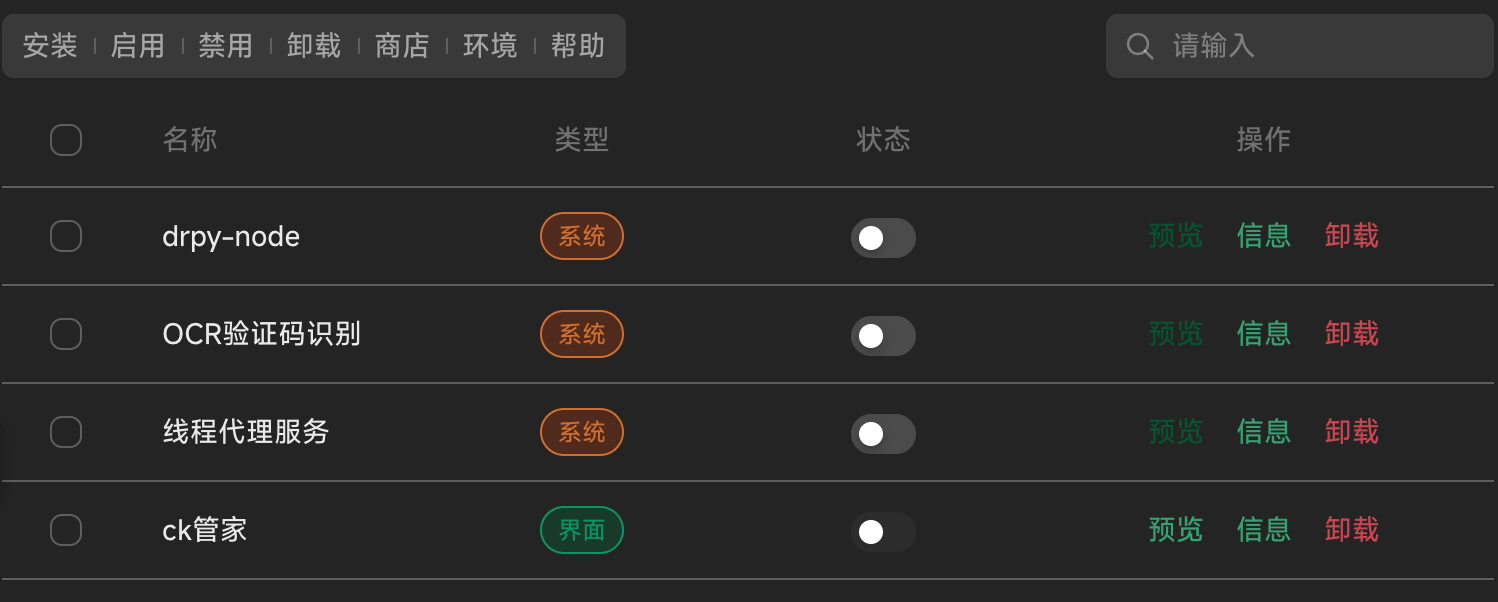
main-lab-plugin

main-lab-env

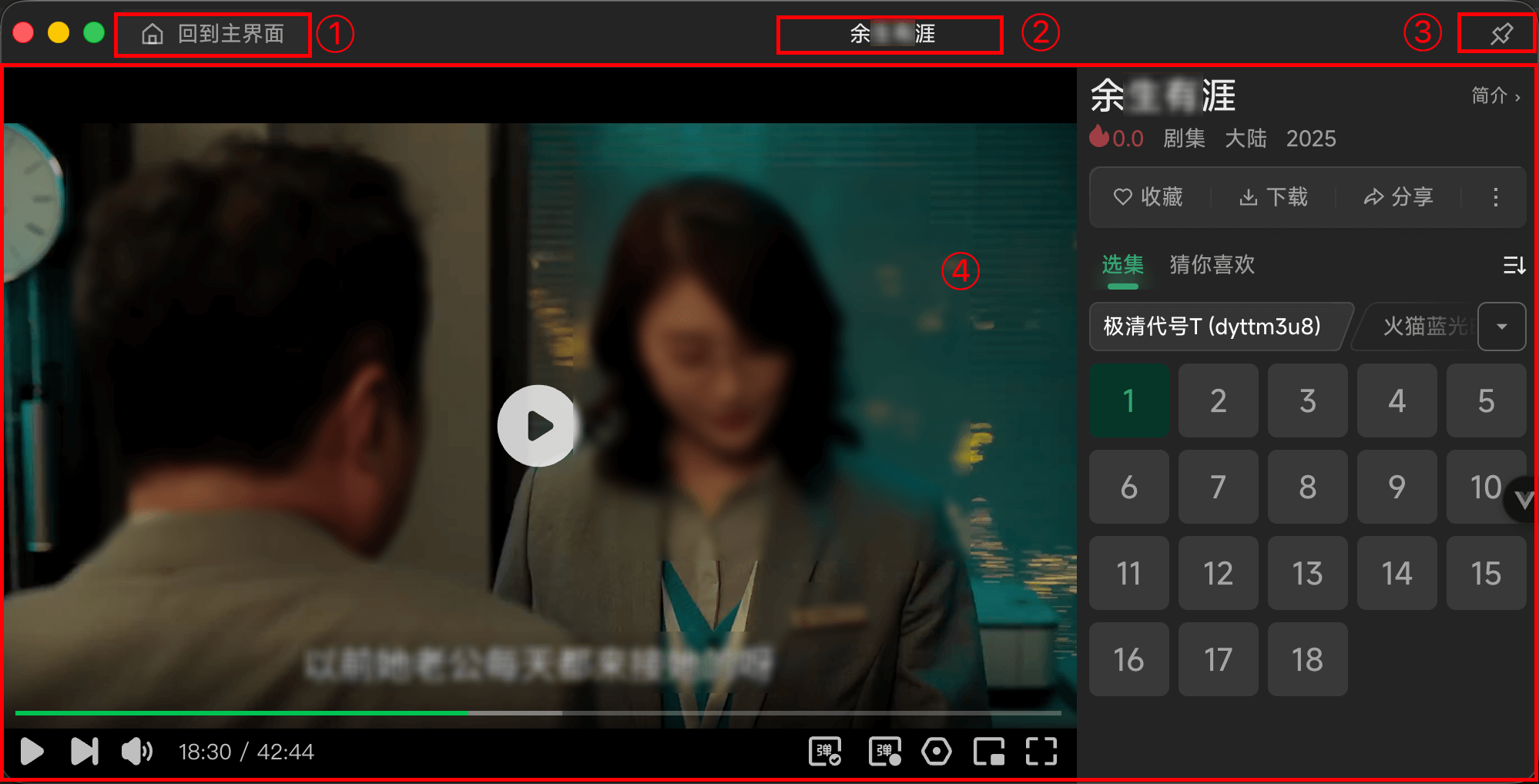
3. Play

play-layout

  • ①: Back to home: Show main program
  • ②: Video name
  • ③: Action
    • Function: Pin
    • Systerm Control: Minimize | Zoom | Close (Only Windows | Linux exists)
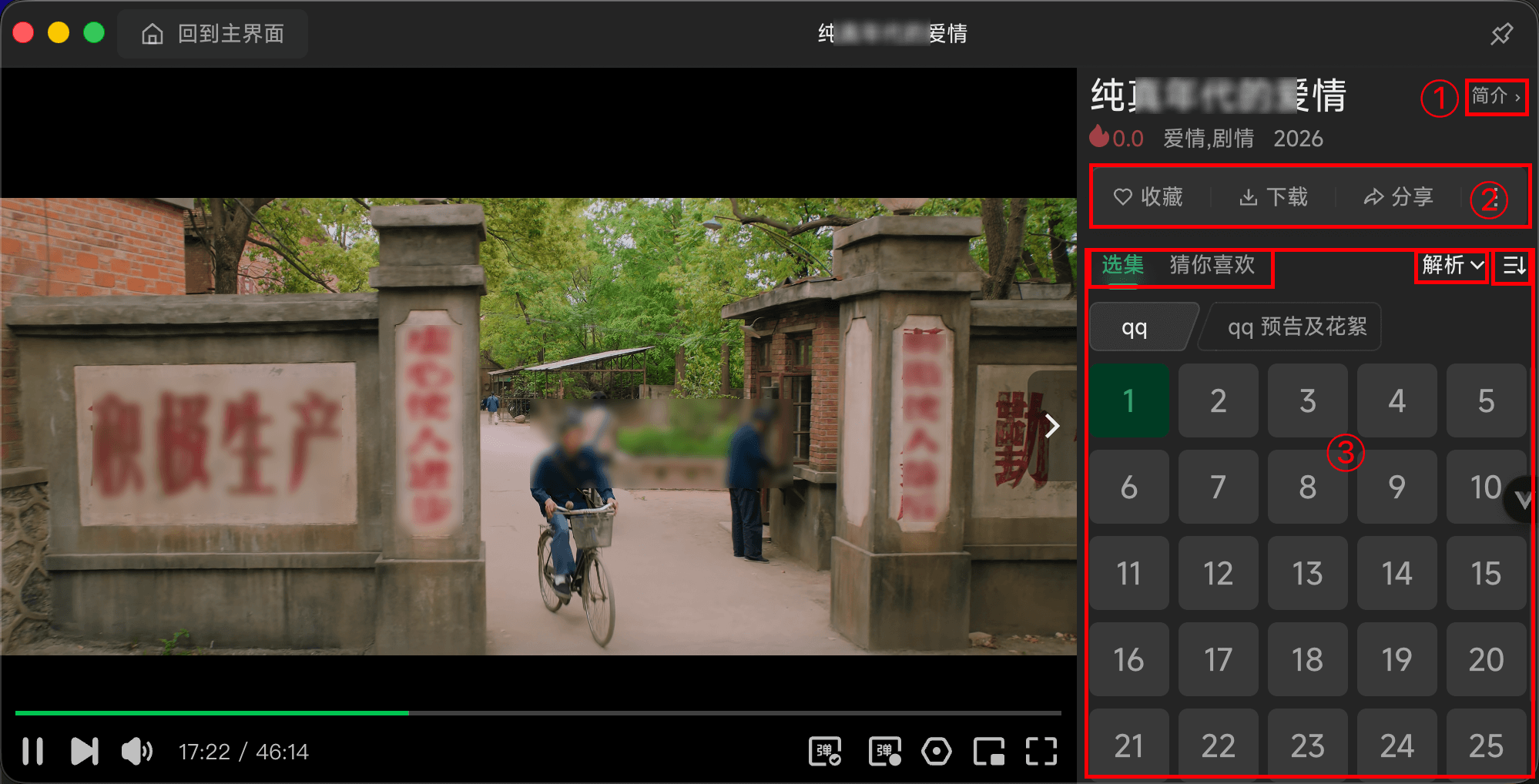
  • ③: Main content

3.1. Film

play-film

  • ①: Description-View the current program presentation
  • ②: Action
    • Favorite: Add to Favorite
    • Down: Links only
    • Share: Share current data
    • Setting: Skip Progress | Auto Next | Preload Next | Smart Skip Ad
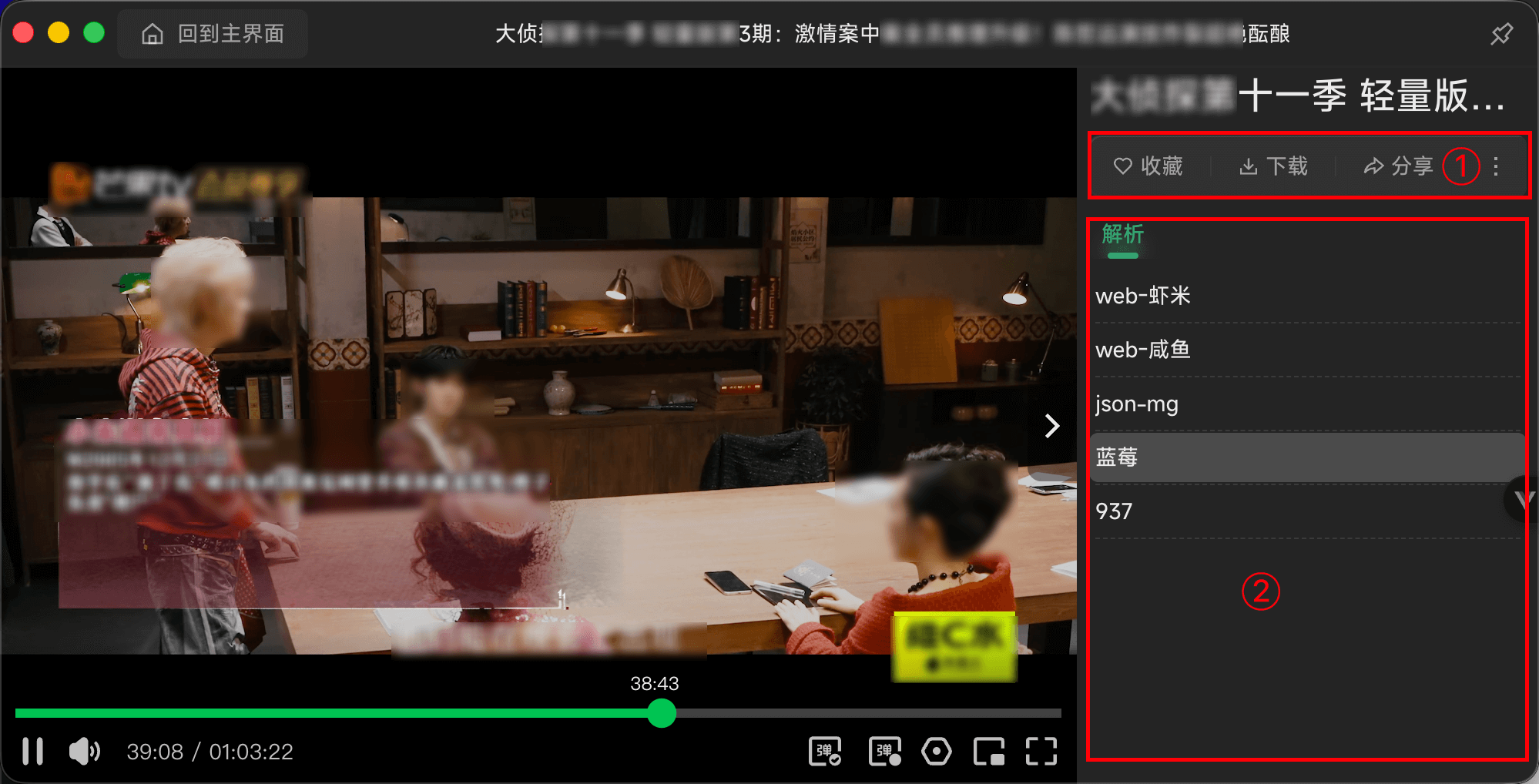
  • ③: Tab
    • Anthology:
      • Analyze: Display only when matching the parsing logo
      • Sort: Supports forward and reverse order
      • Line: Switch different lines
      • Episode: Switch different episodes
    • Recommend: Search for the data and switch the data source

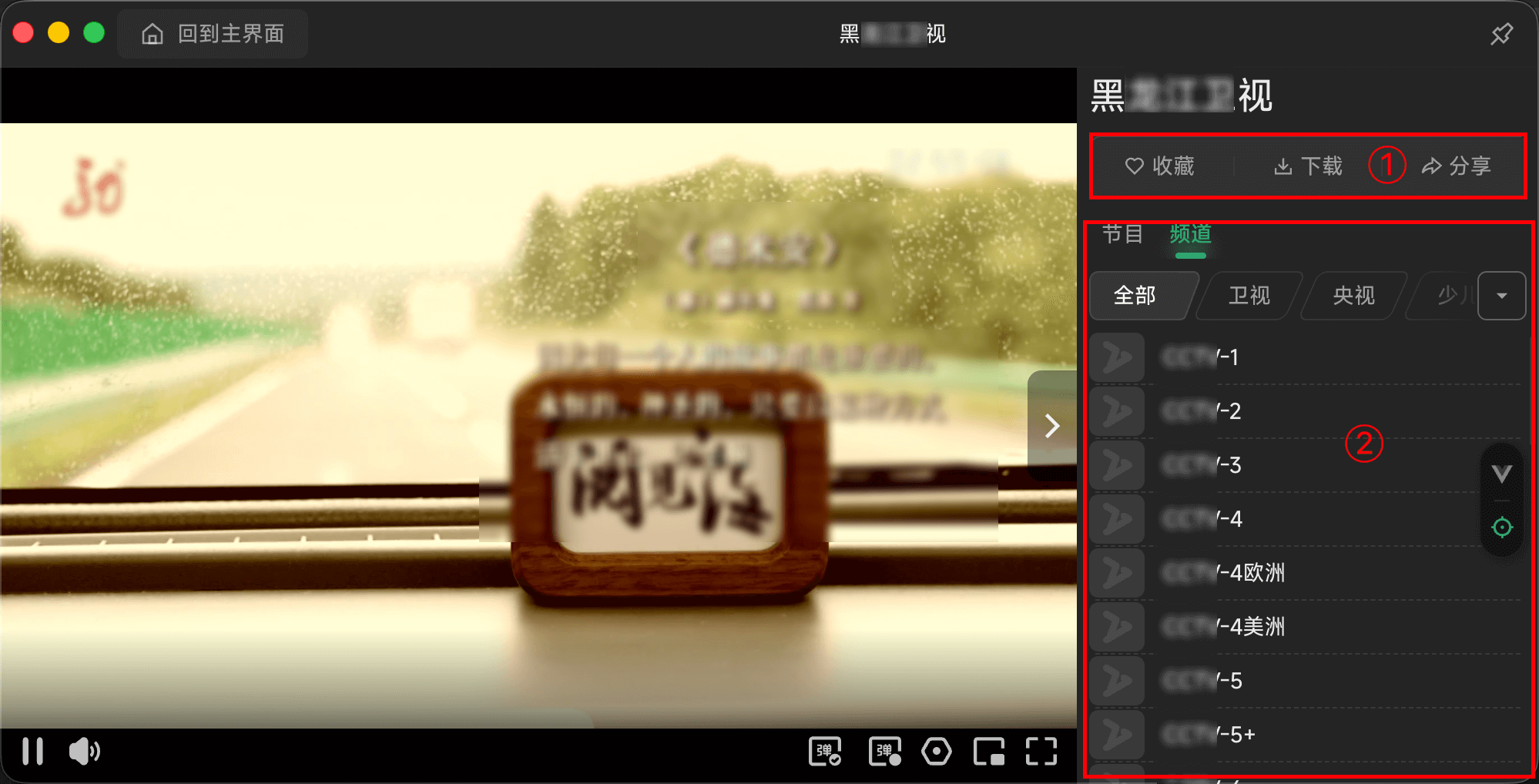
3.2. Live

play-live

  • ①: Action
    • Favorite: Add to Favorite
    • Down: Links only
    • Share: Share current data
  • ②: Tab
    • Epg-View current playing electronic program list
    • Channel-View other channel data

3.3. Parse

play-live

  • ①: Action
    • Favorite: Add to Favorite
    • Down: Links only
    • Share: Share current data
    • Setting: Skip Progress | Smart Skip Ad
  • ②: Tab
    • Analyze: Switch the analyze line

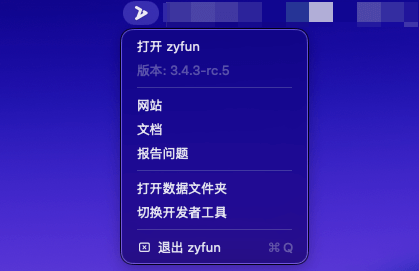
4. Tray

tray

  • Open: Open the main program
  • Version number
  • Website: Go to the Github site
  • Documentation: Go to the documentation site
  • Report an issue: Go to the Github site to report an issue.
  • Open the data folder: Go to the user data folder
  • Toggle developer tools: show/hide per-page developer tools
  • Exit: Exit the program

Released under the AGPL-3.0 License