买服务器上雨云
 由超大带宽雨云提供赞助
info
Utilizing the system's ability to cast a screen to a projector (TV) for a better viewing experience.
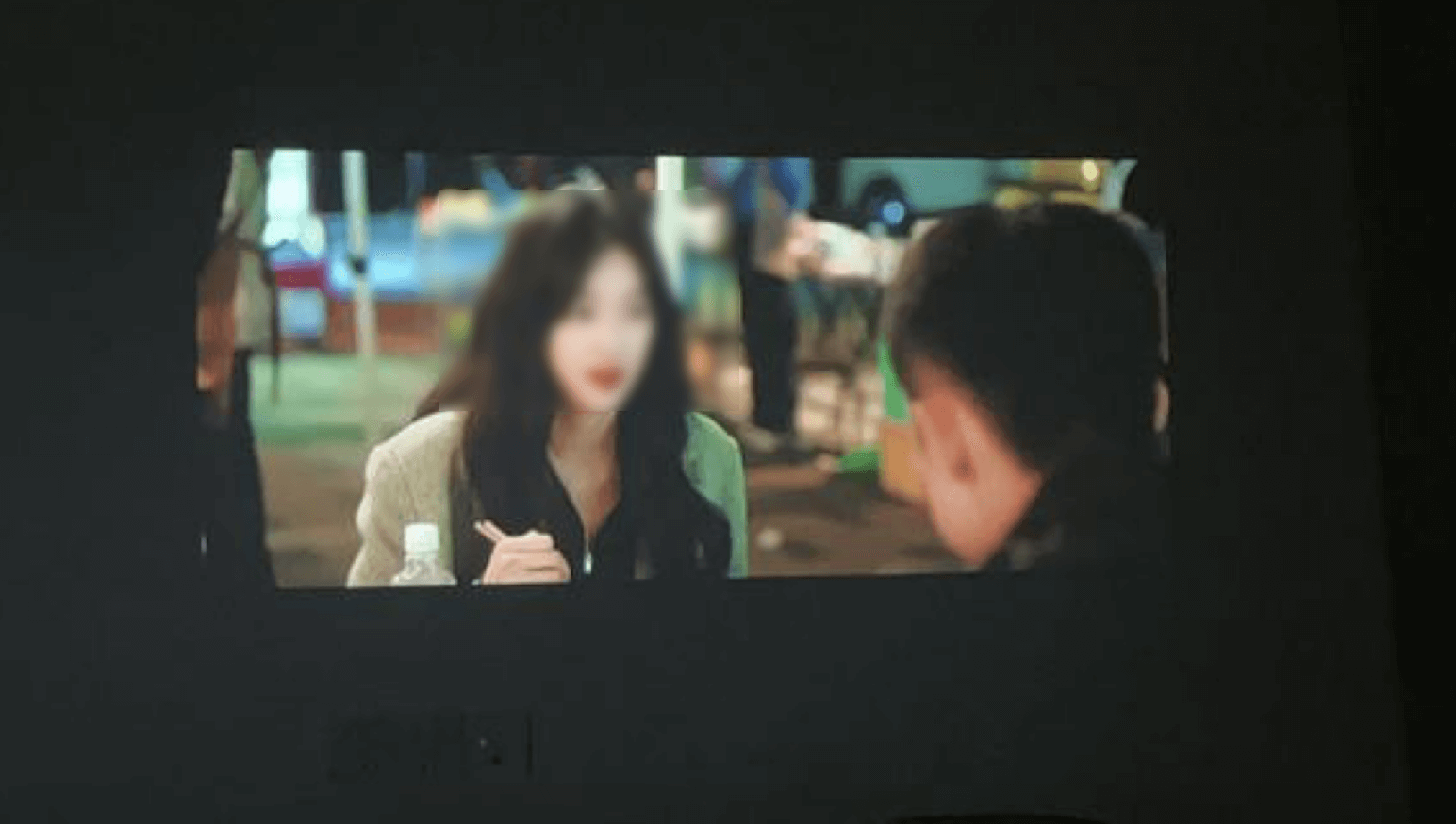
System capability requires
same network(same wifi), both receiver (projector or TV) and sender (computer) need tosupport relevant protocols.
Settings' or Apps' menu, find the Screen Throw' or Wireless Display' option, and turn on the function.Windows+P shortcut key, select Connect to Wireless Display option, search and select the name of the corresponding TV to connect.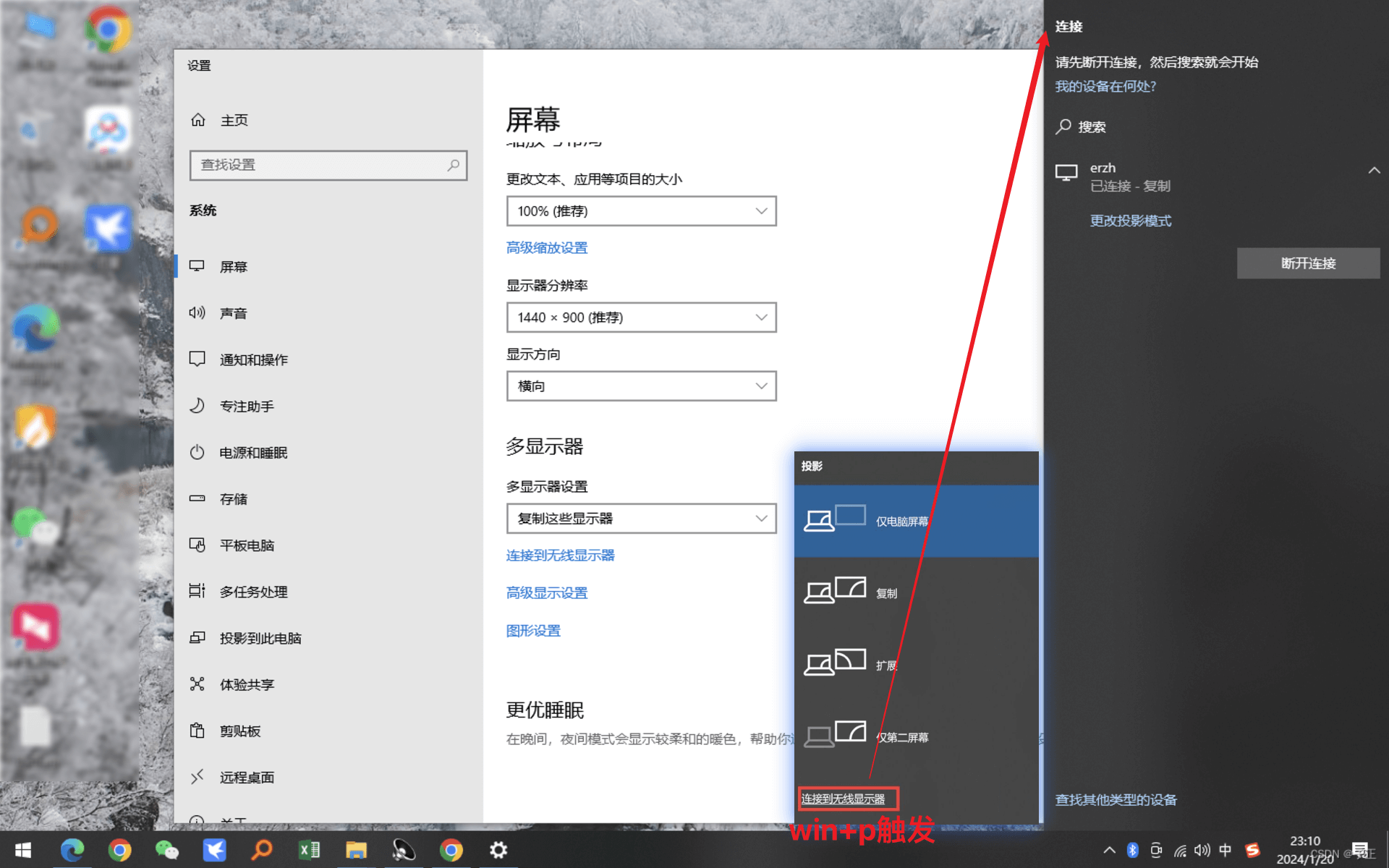
Settings' or Apps' menu, find the Screen Throw' or Wireless Display' option, and turn on the function.Playback or Mirror Cast on the Mac menu bar, and select your TV device in the pop-up list.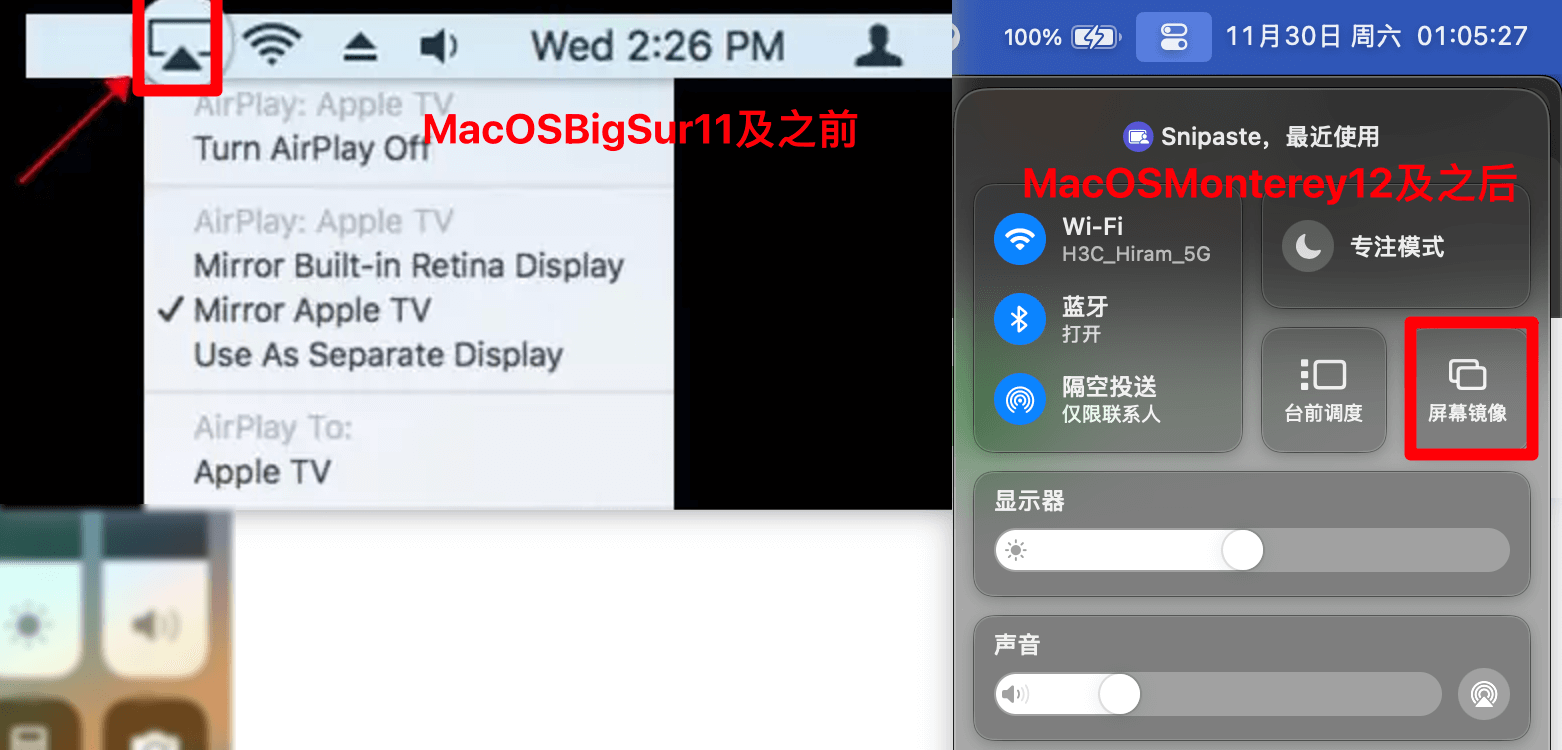
The system has not built-in the relevant protocols, can not directly use the system capabilities, recommended to use a third-party screen casting software.
Settings' or Apps' menu, find the Screen Throw' or Wireless Display' option, and turn on the function.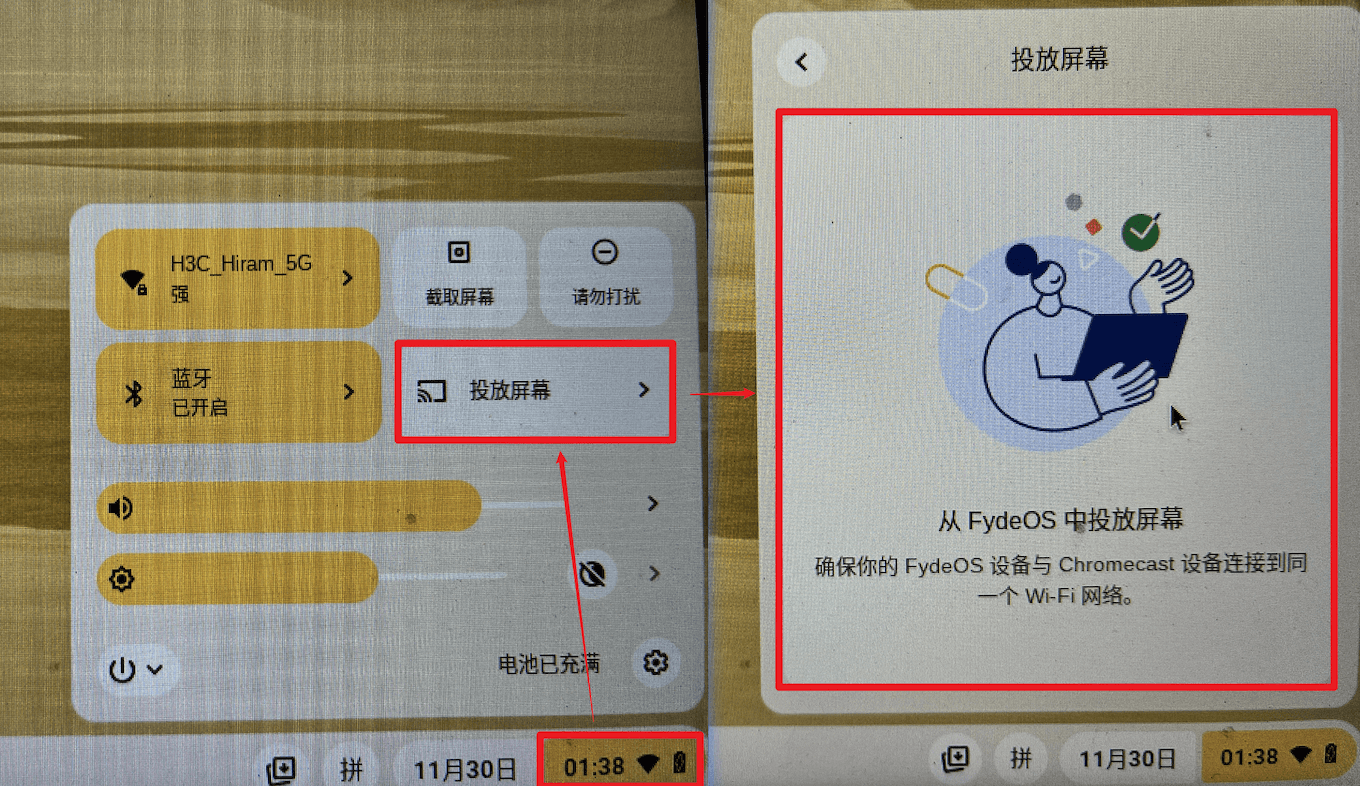
Le CastScreen Quick CastScreen or Dangbei CastScreen.sweep the code to cast screen or cast the code to cast screen.